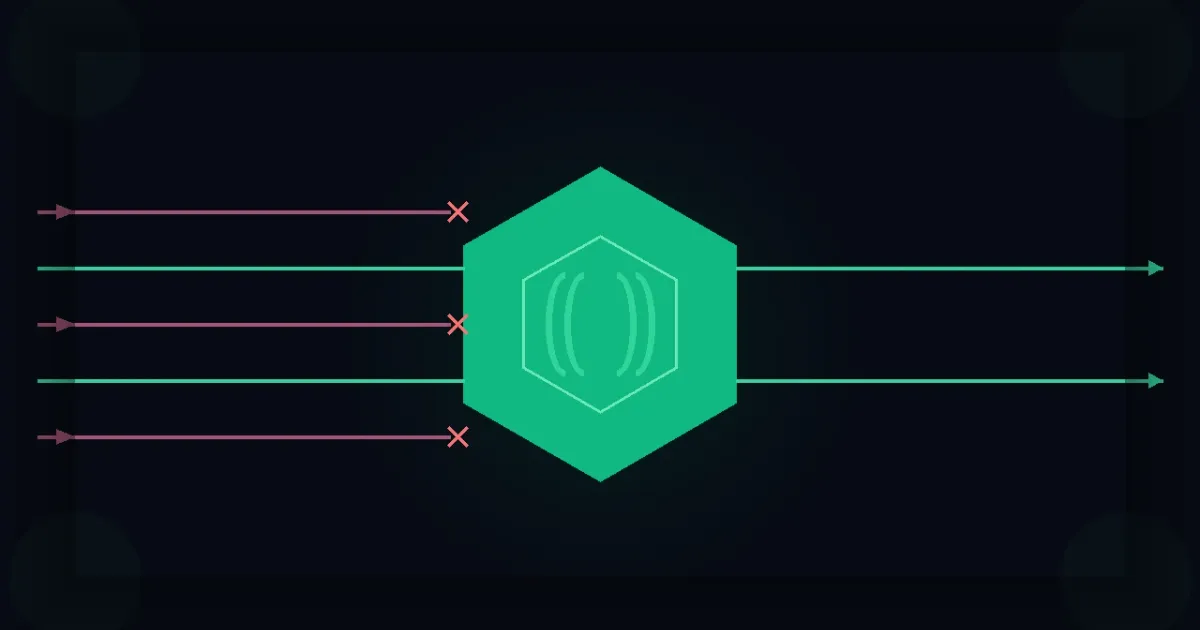
Quick answer: treat every value that reaches HTML as untrusted until escaped. Blade {{ $value }} (and Laravel’s e() helper) pass the string through PHP’s htmlspecialchars, which is the right default for HTML body and attribute text. Reserve {!! $html !!} for content you already trust or have sanitized. When you need an array or object inside a <script> block, use Js::from / Illuminate\Support\Js::from instead of raw json_encode. Prefix frontend mustache syntax with @{{ }} so Blade leaves it alone.
What XSS is (and why Blade defaults matter)
Cross-Site Scripting (XSS) happens when an application puts untrusted data into a page so the browser treats it as code — for example a comment that should be plain text but instead injects a <script> tag or an event-handler attribute. OWASP’s XSS Prevention Cheat Sheet frames defence as context-aware output encoding plus safe sinks: escape for the HTML context you are writing into, prefer APIs that treat data as text, and sanitize only when you truly need user-authored HTML.
Laravel Blade steers you toward the safe path: its double-curly echo is escaped by default. The risk is the escape hatch.
{{ }} auto-escapes with htmlspecialchars
Given a view variable:
Hello, {{ $name }}.Blade sends $name through PHP’s htmlspecialchars before printing it. That converts &, ", ', <, and > into HTML entities so a payload like <script>…</script> renders as text instead of executing. Laravel’s e() helper does the same encoding and is what Blade uses under the hood.
By default Blade (and e) double-encode existing entities. If you need to turn that off for a special case, Laravel documents Blade::withoutDoubleEncoding() in a service provider — leave double encoding on unless you have a concrete reason.
Always surround HTML attribute values with quotes when you echo into them, and keep using the escaped echo:
<input type="text" name="title" value="{{ old('title', $post->title) }}">Never put user input in {!! !!} unless sanitized
Unescaped output uses:
Hello, {!! $name !!}.Laravel’s Blade docs warn explicitly: be very careful echoing content supplied by users; prefer the escaped double-curly syntax to prevent XSS. {!! !!} is for trusted markup you control (for example a static partial or HTML already cleaned by a maintained sanitizer such as DOMPurify on the client, or a server-side HTML allowlist library). If the string came from a form, URL, API, or database row written by users, do not use {!! !!}.
Embedding JSON in <script>: use Js::from
A common anti-pattern is dumping JSON into a script tag by hand:
<script>
    var app = <?php echo json_encode($array); ?>;
</script>
Laravel recommends Illuminate\Support\Js::from instead. It accepts the same arguments as json_encode, but escapes the result for inclusion inside HTML and returns a JSON.parse(...) JavaScript statement:
<script>
    var app = {{ Illuminate\Support\Js::from($array) }};
</script>
Current Laravel app skeletons also register a Js facade:
<script>
    var app = {{ Js::from($array) }};
</script>
Use Js::from only on existing variables — Blade compiles with regular expressions, and complex inline expressions can break. Do not concatenate untrusted strings into script bodies or event-handler attributes; OWASP treats those as dangerous contexts even with generic escaping.
Blade and JavaScript frameworks: @{{ }}
Vue, Angular, Alpine-style templates, and similar tools also use {{ }}. Prefix with @ so Blade emits the braces for the frontend:
Hello, @{{ name }}.Blade strips the @ and leaves {{ name }} untouched. For large JS blocks, wrap them in @verbatim … @endverbatim so you do not need @ on every echo. The same @ escape works for Blade directives (@@if() renders @if()).
Minimal PHP demo (escaped vs raw)
This CLI snippet mirrors what Blade’s escaped echo does versus dumping raw HTML — no Laravel required:
<?php
declare(strict_types=1);

$userInput = "<script>alert('xss')</script>";

$escaped = htmlspecialchars($userInput, ENT_QUOTES | ENT_SUBSTITUTE, 'UTF-8');
$raw = $userInput; // what {!! !!} would dump unchanged

echo "RAW:\n{$raw}\n\n";
echo "ESCAPED:\n{$escaped}\n";
Run with php demo.php. The raw line still contains a live <script> tag; the escaped line shows <script>…</script>. That difference is exactly why {{ }} is the default.
Practical checklist
- Echo user-facing text with
{{ }}ore()— never assume a value is “safe enough.” - Treat
{!! !!}as an audited exception: trusted HTML only, or sanitized HTML from a maintained library. - Put JSON into scripts with
Js::from/Illuminate\Support\Js::from, not barejson_encodeinside HTML. - Use
@{{ }}or@verbatimwhen a JS framework needs curly braces. - Quote HTML attributes; do not place untrusted data in event handlers, inline scripts, or CSS contexts without context-specific encoding (see OWASP).
- Remember: fixing XSS also protects CSRF defences — a successful XSS can read tokens the browser can see.
Want a review of Blade templates, CSP headers, or output encoding across a Laravel app? See PHP Hub services (contact for quote) or run a quick pass with the PHP Security Checker.
This lesson was drafted with AI assistance and reviewed for accuracy against the official Laravel Blade documentation, the PHP htmlspecialchars manual, and the OWASP Cross Site Scripting Prevention Cheat Sheet linked below.
Sources
- Laravel Blade Templates — Displaying Data, HTML Entity Encoding, Displaying Unescaped Data, Blade and JavaScript Frameworks, Rendering JSON /
Js::from - PHP htmlspecialchars
- OWASP Cross Site Scripting Prevention Cheat Sheet