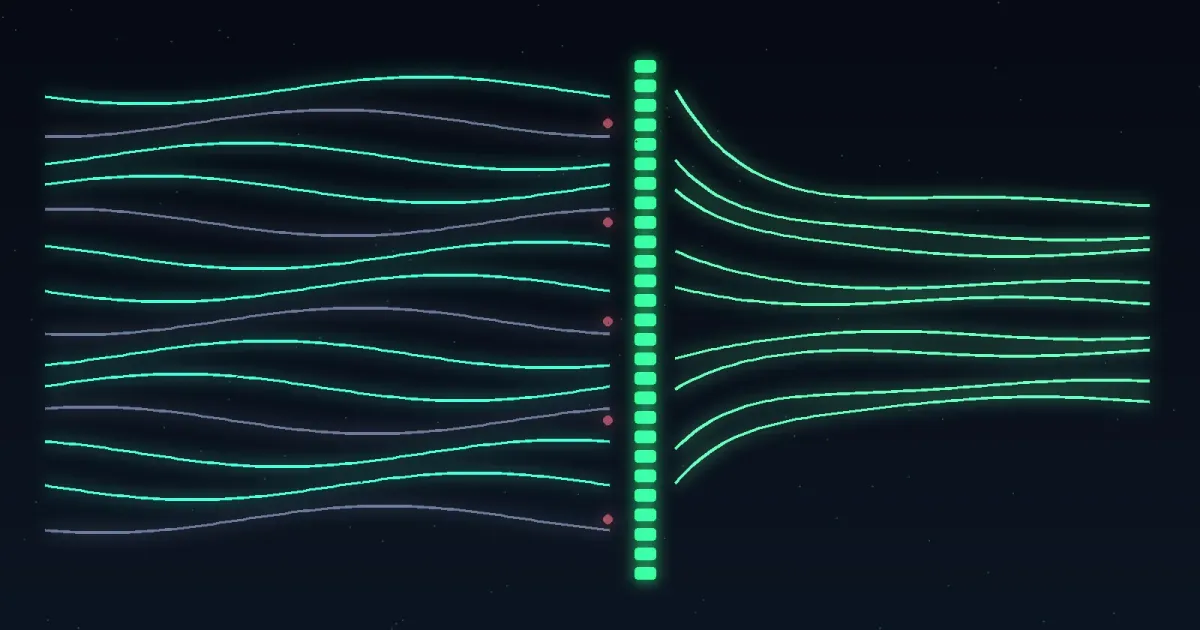
Quick answer: never pass $request->all() straight into create(), update() or fill(). Allow-list the columns a user may write (#[Fillable([...])] in Laravel 13, or the classic $fillable property), pass only validated data ($request->validated() or $request->safe()->only([...])), and avoid unguarding models. Turn on Model::preventSilentlyDiscardingAttributes() locally so dropped fields show up as errors instead of silent bugs.
What mass assignment actually is
The Laravel docs describe it plainly: a mass assignment vulnerability happens when a user sends an unexpected request field and that field changes a database column you did not expect. The classic example is a malicious is_admin parameter that reaches User::create() and turns a normal sign-up into an administrator account.
OWASP’s Mass Assignment Cheat Sheet calls the same bug “autobinding” or, in PHP, “object injection”, and recommends two things: bind only an explicit allow-list of fields, and don’t rely on a block-list alone, because a new or overlooked sensitive column stays writable.
Here is the vulnerable pattern:
// UserController@update — DON'T do this
public function update(Request $request, User $user)
{
    $user->update($request->all()); // any posted key is a candidate column
    return back();
}
If the model is unguarded, a request such as name=Asha&is_admin=1&email_verified_at=2026-01-01 writes all three.
See it in plain PHP
This tiny script mimics what Eloquent does with an allow-list. It runs on any PHP 8 CLI with no framework:
<?php
declare(strict_types=1);

// What an attacker posts
$input = [
    'name'     => 'Asha',
    'email'    => 'asha@example.com',
    'is_admin' => '1',
    'balance'  => '999999',
];

// Allow-list: the only columns users may write
$fillable = ['name', 'email'];

$safe    = array_intersect_key($input, array_flip($fillable));
$dropped = array_diff_key($input, $safe);

print_r($safe);                                   // name, email only
echo 'Dropped: ', implode(', ', array_keys($dropped)), PHP_EOL; // is_admin, balance
That array_intersect_key() step is essentially how Eloquent filters attributes against the fillable list. The important part is the direction: you list what is allowed, not what is forbidden.
1. Allow-list columns on the model
In the Laravel 13 docs, you declare fillable columns with a class attribute:
<?php

namespace App\Models;

use Illuminate\Database\Eloquent\Attributes\Fillable;
use Illuminate\Database\Eloquent\Model;

#[Fillable(['name', 'email', 'bio'])]
class User extends Model
{
    // is_admin, balance, email_verified_at are NOT fillable
}
On Laravel 12 and earlier (and still supported by the framework code today) the same thing is the $fillable property:
class User extends Model
{
    /** @var array<int, string> */
    protected $fillable = ['name', 'email', 'bio'];
}
By default every Eloquent model is protected against mass assignment: if you call create() without declaring fillable or guarded columns, nothing is mass assignable.
For JSON columns, the docs note that each nested key must be listed explicitly, for example #[Fillable(['options->enabled'])]. Laravel does not support updating nested JSON attributes through the guarded list.
2. Why $guarded = [] (or #[Unguarded]) is risky
$guarded is a block-list: everything is writable except the listed columns. $guarded = [] (in Laravel 13, the #[Unguarded] attribute) makes every column mass assignable. The Laravel docs say that if you do this, you must “always hand-craft the arrays” you pass to fill, create and update.
The problem is that this rule lives in every developer’s head instead of in the model. Six months later someone adds a role or plan_id column, a new controller does $model->update($request->all()), and the column is writable from the outside. This is exactly the block-list failure OWASP warns about. Prefer a fillable allow-list unless you have a strong reason not to.
3. Pass only validated input
The allow-list on the model is your last line of defence. The first line is the request. With a form request:
<?php

namespace App\Http\Requests;

use Illuminate\Foundation\Http\FormRequest;

class UpdateProfileRequest extends FormRequest
{
    public function authorize(): bool
    {
        return $this->user()->can('update', $this->route('user'));
    }

    public function rules(): array
    {
        return [
            'name'  => ['required', 'string', 'max:100'],
            'email' => ['required', 'email'],
            'bio'   => ['nullable', 'string', 'max:1000'],
        ];
    }
}
Then in the controller, use only what passed validation:
public function update(UpdateProfileRequest $request, User $user)
{
    // Only keys that have validation rules are returned
    $user->update($request->validated());

    // Or narrow further when one request feeds several models:
    // $user->update($request->safe()->only(['name', 'bio']));
    // $user->update($request->safe()->except(['email']));

    return back();
}
validated() returns the array of data that was validated. safe() returns an Illuminate\Support\ValidatedInput object with only(), except() and all(). Both work on form requests and on manually created validators ($validator->validated()).
Also note the authorize() method. OWASP points out that field allow-lists don’t replace authorization: you still have to check that this user may update this record.
Optional: reject unknown fields (Laravel 13)
The Laravel 13 validation docs add a FailOnUnknownFields attribute for form requests. It rejects any incoming field that has no validation rule:
use Illuminate\Foundation\Http\Attributes\FailOnUnknownFields;
use Illuminate\Foundation\Http\FormRequest;

#[FailOnUnknownFields]
class UpdateProfileRequest extends FormRequest
{
    // ...
}
It can also be turned on globally with FormRequest::failOnUnknownFields() in AppServiceProvider::boot(). The docs are clear that this is an extra layer: you should still configure fillable/guarded columns and persist only validated input.
4. Fail loudly in development
By default, attributes that aren’t fillable are silently discarded. That’s the safe behaviour in production, but locally it hides bugs (“why didn’t bio save?”). Make Laravel throw instead:
use Illuminate\Database\Eloquent\Model;

public function boot(): void
{
    Model::preventSilentlyDiscardingAttributes($this->app->isLocal());
}
Put this in AppServiceProvider::boot(). In local development, filling a non-fillable attribute now throws an exception, so you either add the column to the allow-list on purpose or stop sending it.
Checklist
- No
$request->all()or$request->input()arrays passed tocreate(),update(),fill(),firstOrCreate()orupdateOrCreate(). - Every model that accepts user input has a fillable allow-list; no
$guarded = []/#[Unguarded]on user-facing models. - Sensitive columns (
is_admin,role,balance,email_verified_at, foreign keys you don’t own) are never fillable; set them explicitly in code after an authorization check. - Controllers use
$request->validated()or$request->safe()->only([...]). Model::preventSilentlyDiscardingAttributes($this->app->isLocal())is on inAppServiceProvider.- Consider
#[FailOnUnknownFields]on sensitive form requests (Laravel 13).
Want a second pair of eyes on your models and controllers? Run the free PHP Security Checker or see our audit services.
This lesson was drafted with AI assistance and reviewed for accuracy against the official Laravel documentation and the OWASP Mass Assignment Cheat Sheet linked below.
Sources
- Laravel 13.x docs, Eloquent: Mass Assignment and Configuring Eloquent Strictness
- Laravel 13.x docs, Validation: Working With Validated Input and Failing on Unknown Fields
- Laravel 12.x docs, Eloquent: Mass Assignment ($fillable / $guarded properties)
- Laravel framework source: GuardsAttributes.php (13.x)
- OWASP: Mass Assignment Cheat Sheet
- PHP manual: array_intersect_key()